AI virtual try-on + size & fit recommendations
More confident shoppers. Fewer returns.
PixelDrape AI adds virtual try-on and size & fit recommendations to your product pages. From one photo, shoppers see your outfit on their own body and get the right size from your own size chart, so they buy with confidence and send less back. Works on any website, or one click on Shopify.

Shopify app · Any website · In-store
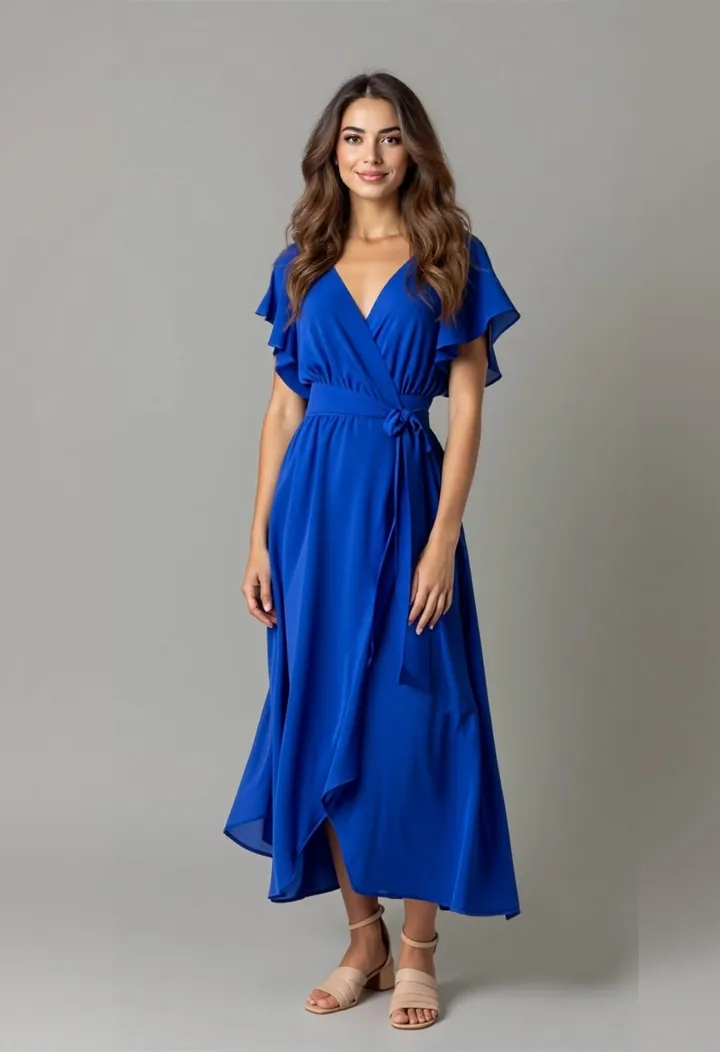
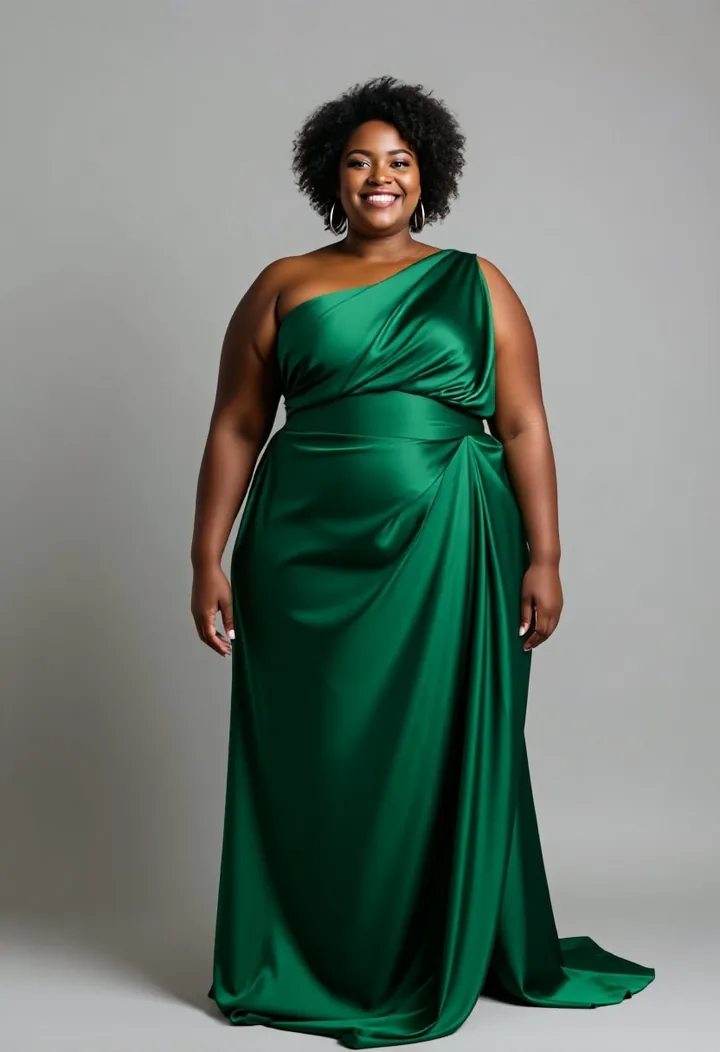
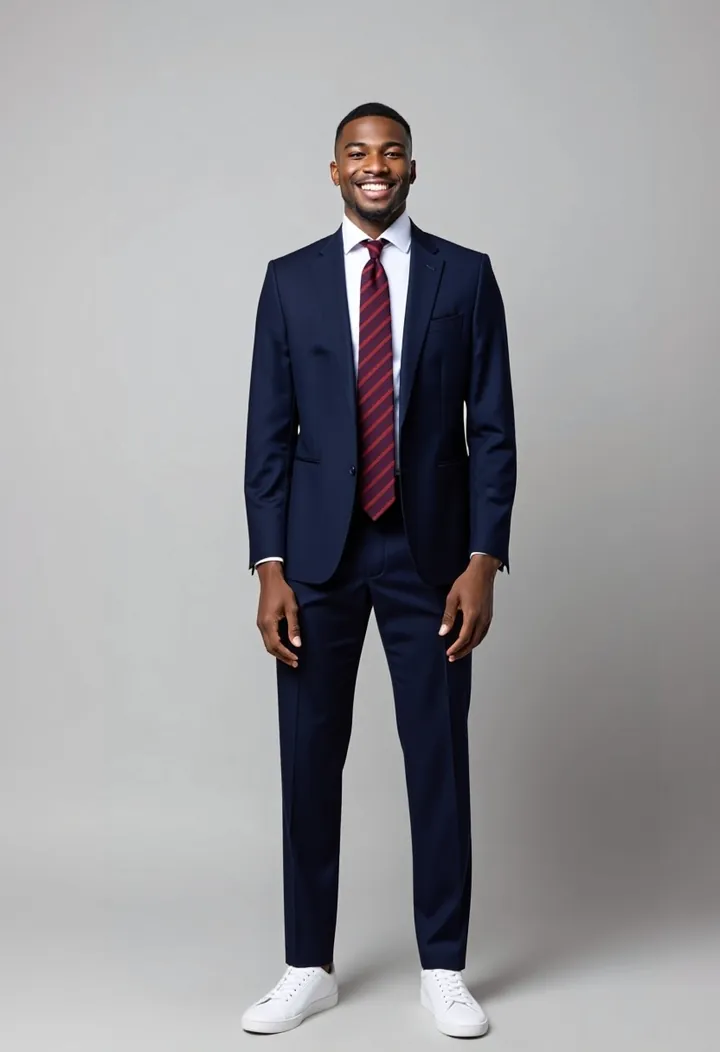
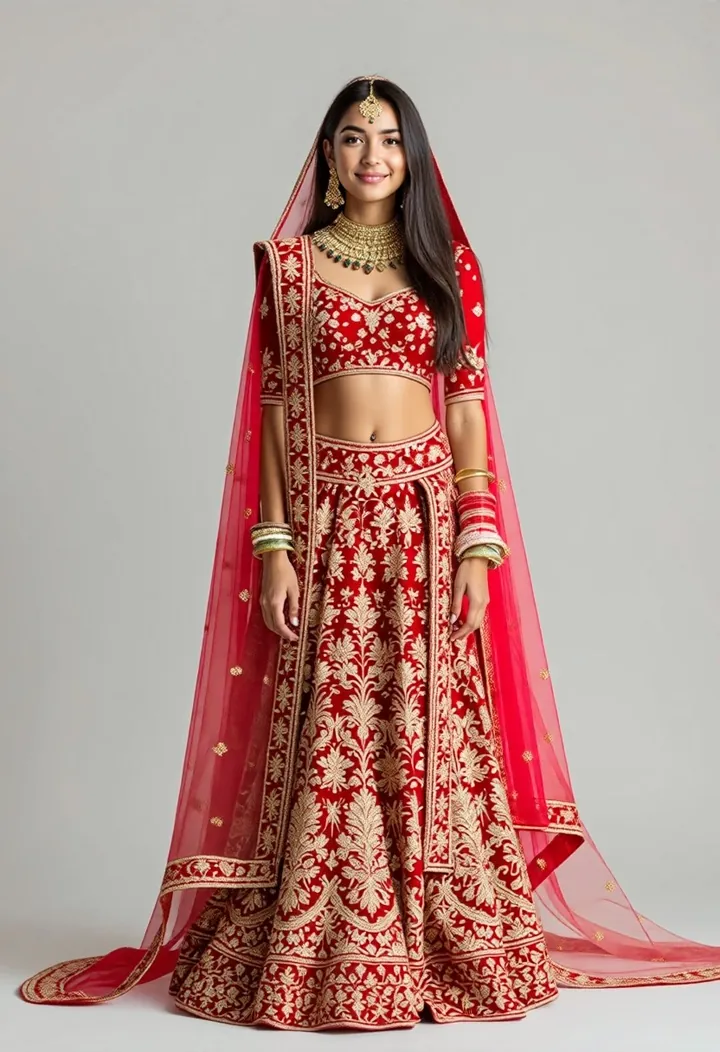 Real try-on

Online fashion has a confidence crisis.
Shoppers can't see how it will look on them or know which size to order, so they hesitate, buy two sizes “just in case” and send one back. The loop costs retailers revenue, margin and trust. PixelDrape AI answers both questions before checkout, with virtual try-on and size & fit recommendations.
Versus just 6–8% in-store. Shoppers buy multiple sizes, hoping one fits.
The single biggest driver of returns: not knowing how it will look, or which size to order.
Between lost goods, shipping, and processing, returns quietly erase retail margin — and the cost keeps accelerating.
"Will this look good on me?" left unanswered means no purchase at all.
Three steps. Real results.
No login required. Works directly inside the retailer's store — online or in-store.
Try-OnShopper taps Try-On
- A Try-On button on every product page
- Styled to match your store
- No account or login required
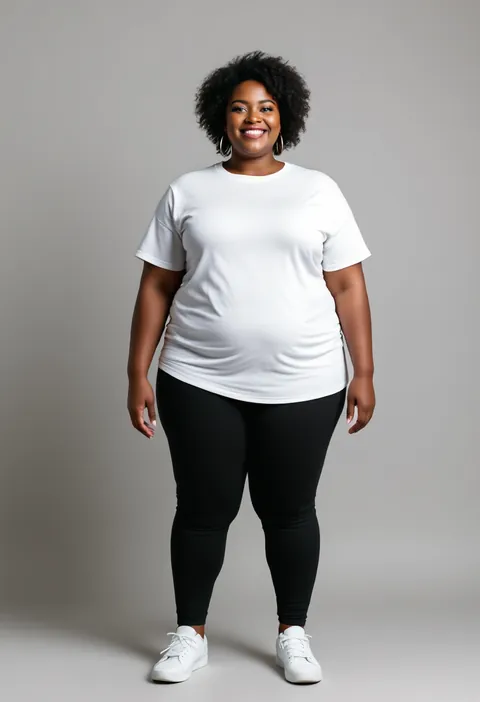
Uploads one photo
- A front-facing, full-body photo
- Any background, no special lighting
- No measurements or sizing quiz needed
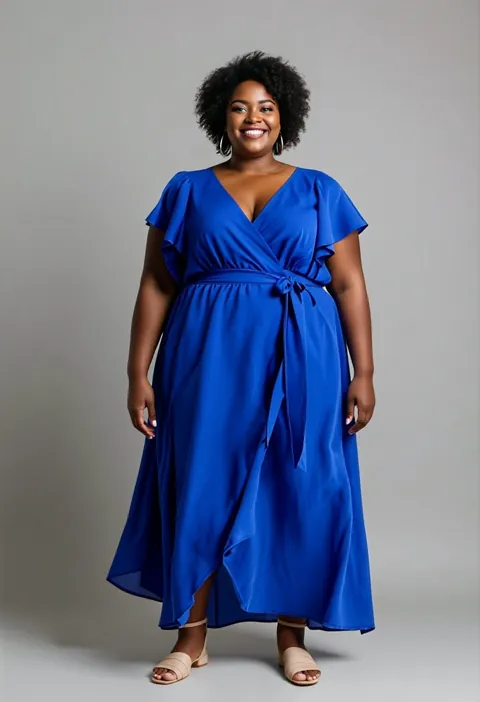 Your try-onRecommended size XLBuy Now
Sees it on + gets their size recommendation
- A real photo of them wearing the outfit, true to face, skin tone and body shape
- A size recommendation from your own size chart, so fewer orders come back
- Buys with confidence, right from the result
- You see analytics: most-tried styles, conversions
Reading about it is one thing. Seeing yourself in the outfit is another.
Don't Take Our Word — Try It LiveOne photo. Two answers.
How it looks on them, and which size to order. When shoppers aren't sure about size, they hesitate or order two and return one. PixelDrape AI answers both questions right on your product page, for more confident purchases and fewer returns.
No quiz, no tape measure
Shoppers use the same photo they upload for the try-on. Their size recommendation appears automatically, and adding their height makes it even more precise.
Your size charts, unlimited
Read from your product pages automatically, or pasted in or uploaded as a CSV: per product or store-wide, for women and men.
Only sizes you actually sell
Advice never points to a size the product doesn't come in, and tells shoppers when theirs isn't offered.
Right on the try-on
The size sits under their try-on, next to Buy Now, with a clear confidence label.
Most size tools make shoppers fill in a quiz: height, weight, age, body shape. PixelDrape uses the photo they already gave you.
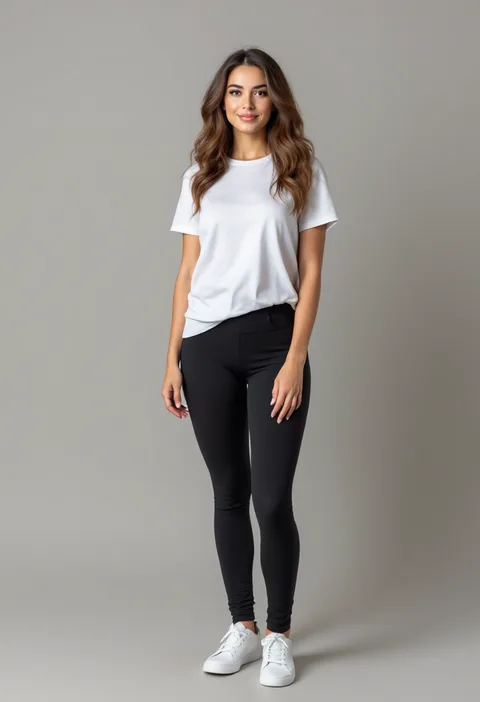
One outfit. Every shopper.
Each shopper sees your piece on their own body, so they buy with confidence.
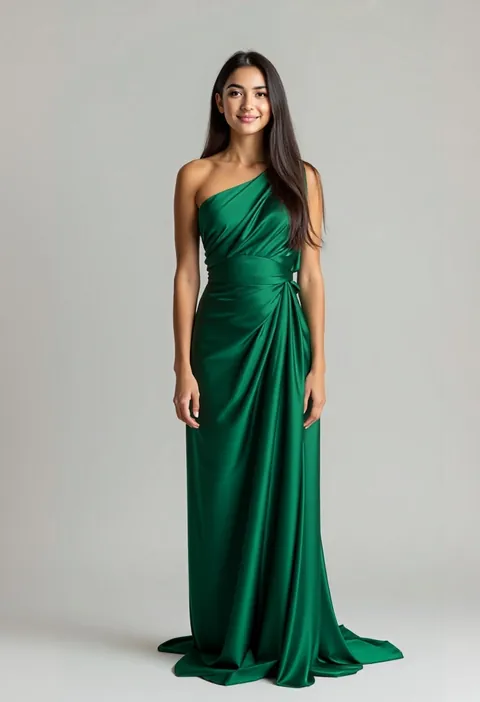
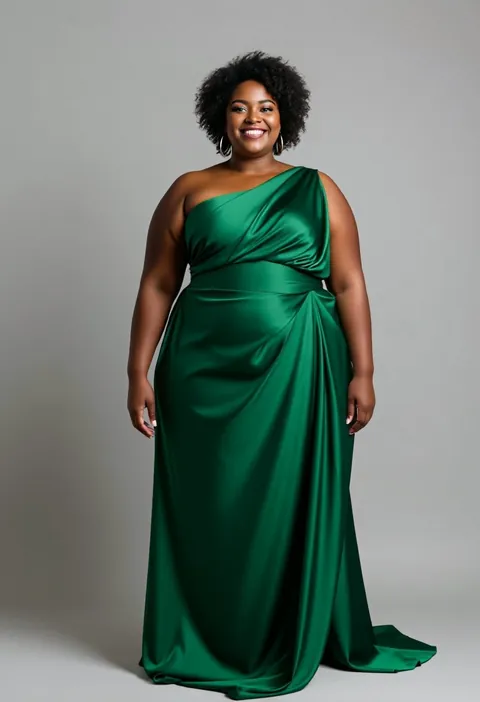
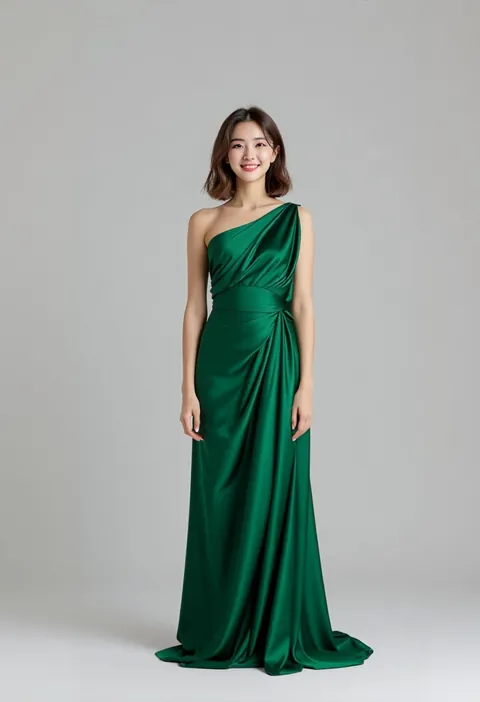
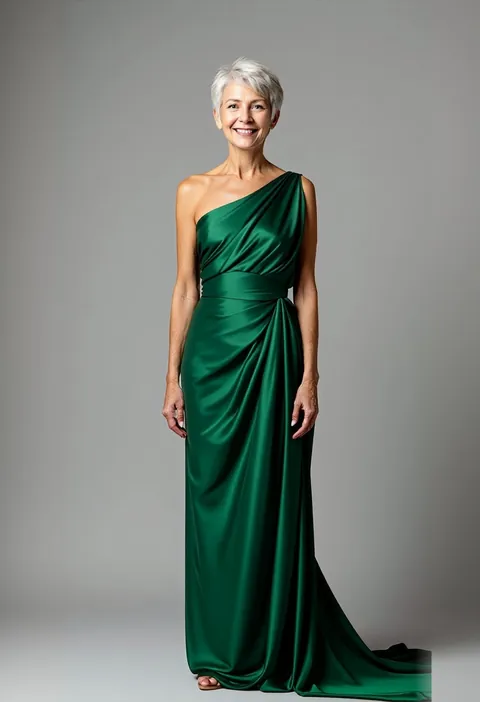
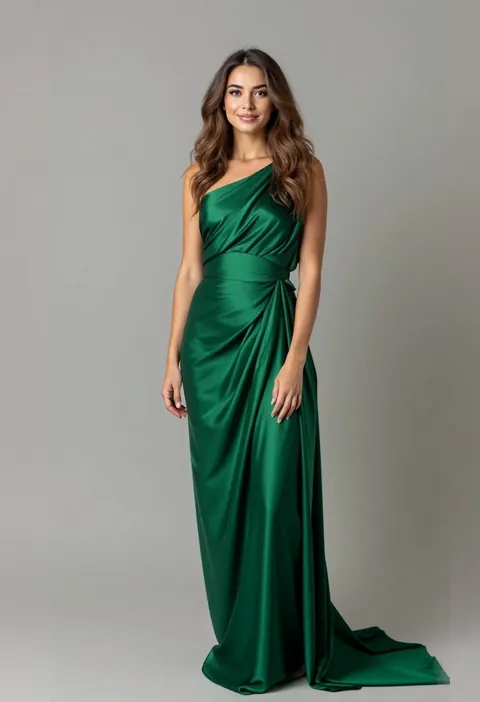
Every outfit in your catalog.
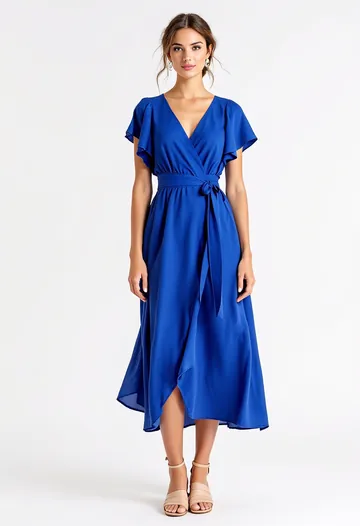
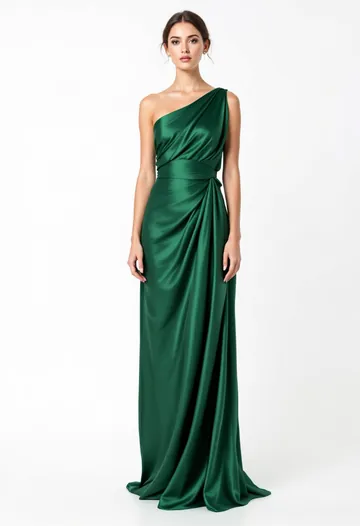
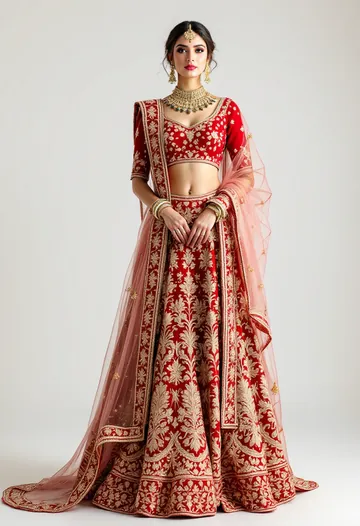
Casual to couture, menswear to bridal. Prints, drapes and embroidery come through intact.
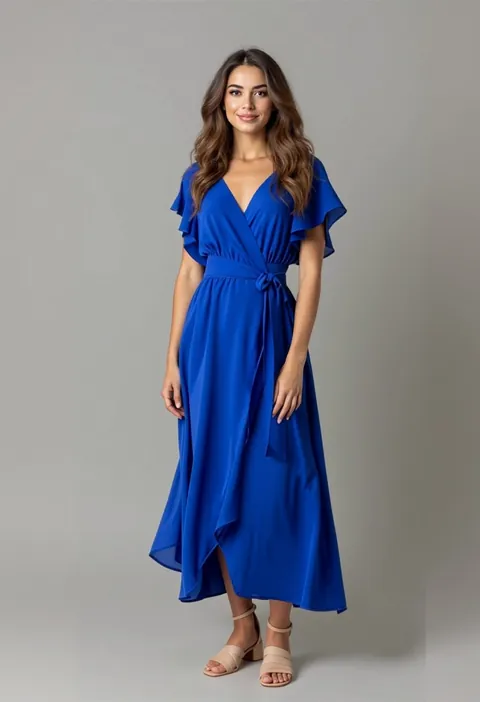
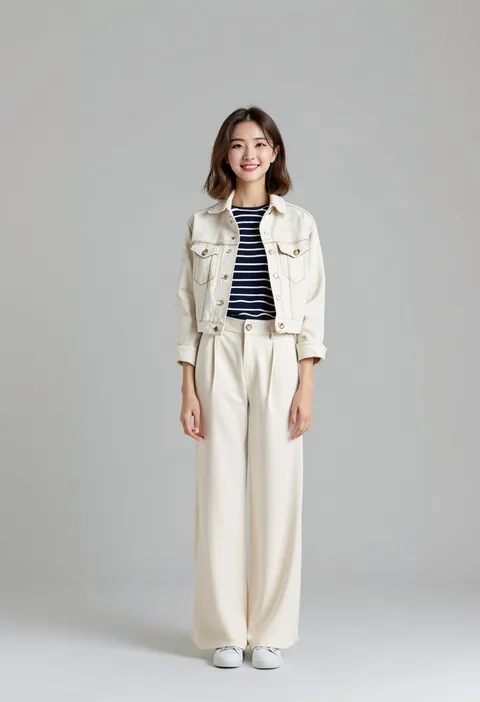
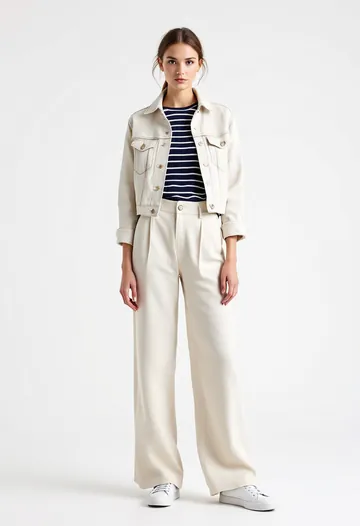
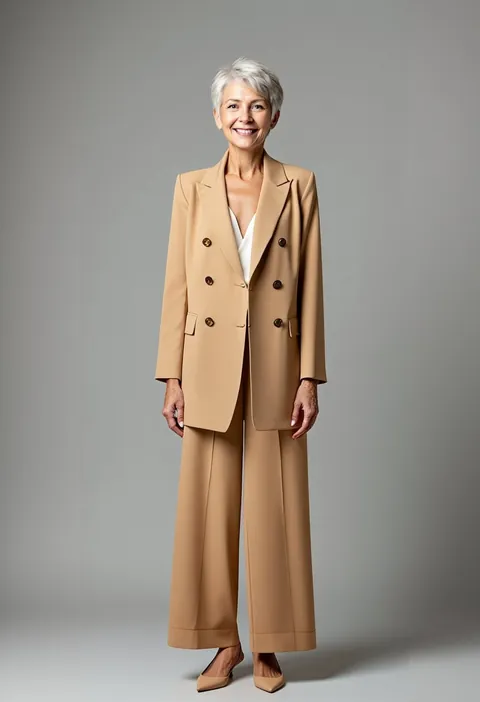
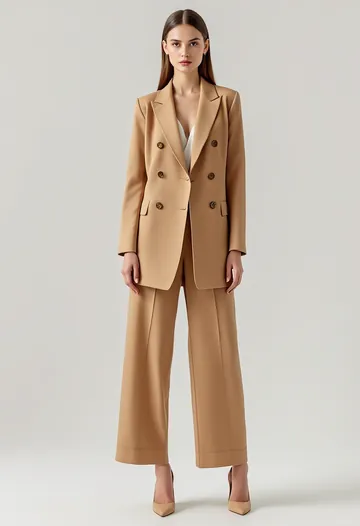
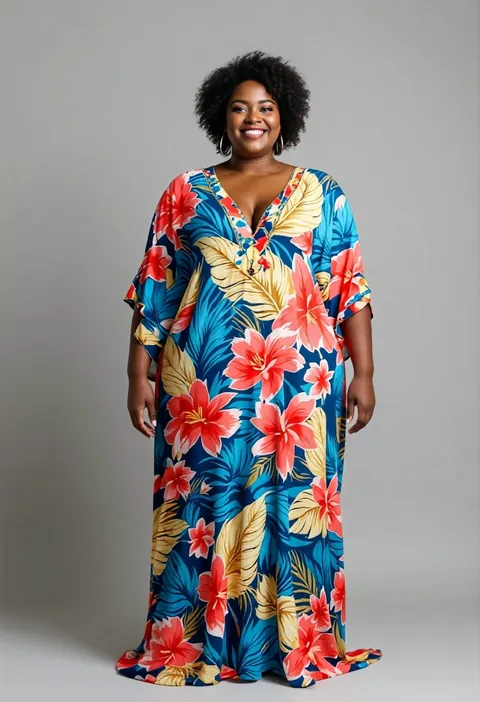
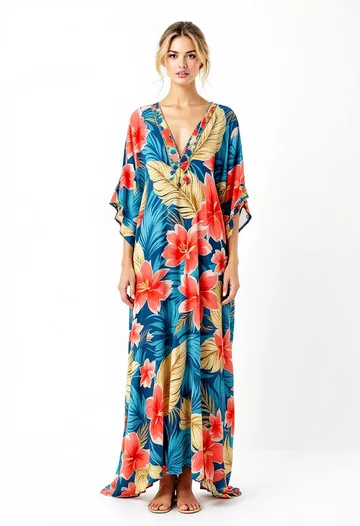
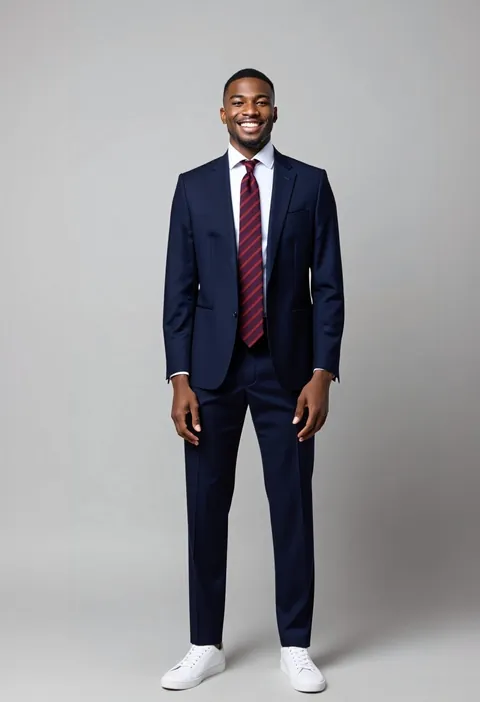
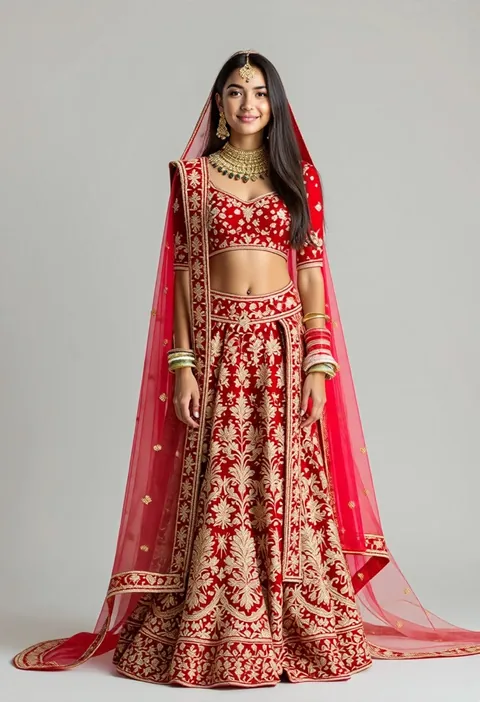
Every photo of a shopper wearing an outfit is a real PixelDrape AI try-on. Small inset: the product photo. Models are AI-generated for this demo.
Any store. Easy to add.
PixelDrape AI adds a Try-On button to the product pages you already have, on whatever your store runs on. We prepare your catalog for you.
- Shopify
- WooCommerce
- Magento
- BigCommerce
- Custom-built sites
- In-store
Shopify
- Install the app in one click
- Style the button from your theme editor
- Analytics built into your Shopify admin
WooCommerce, Magento, BigCommerce & custom sites
- Reach out and we send you a short snippet to add
- We match the button to your site
- Same analytics and plans as on Shopify
In-store
- We host your outfits for you
- Shoppers try on with a tablet or kiosk
- Fewer fitting-room queues
See what shoppers try on — and what they buy.
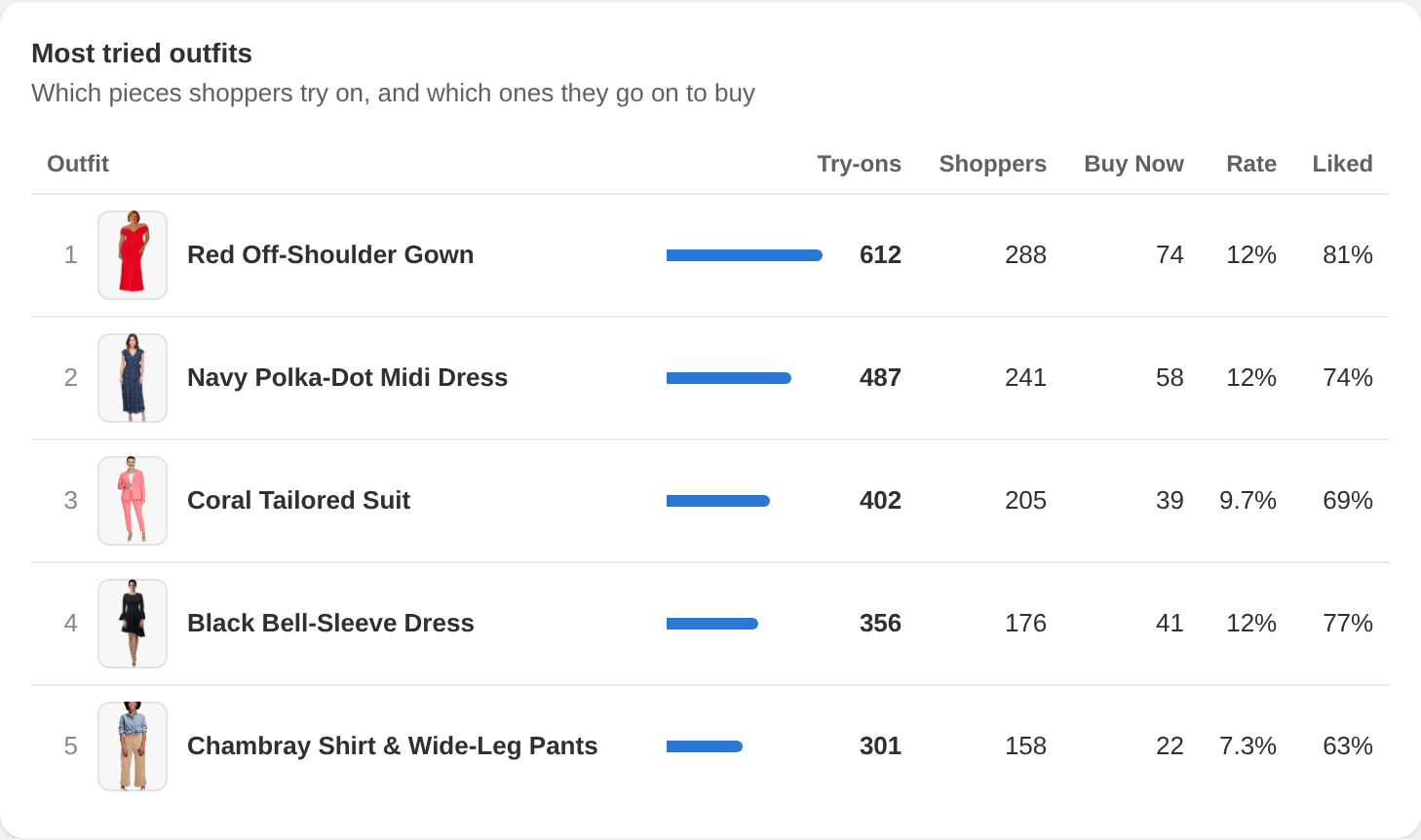
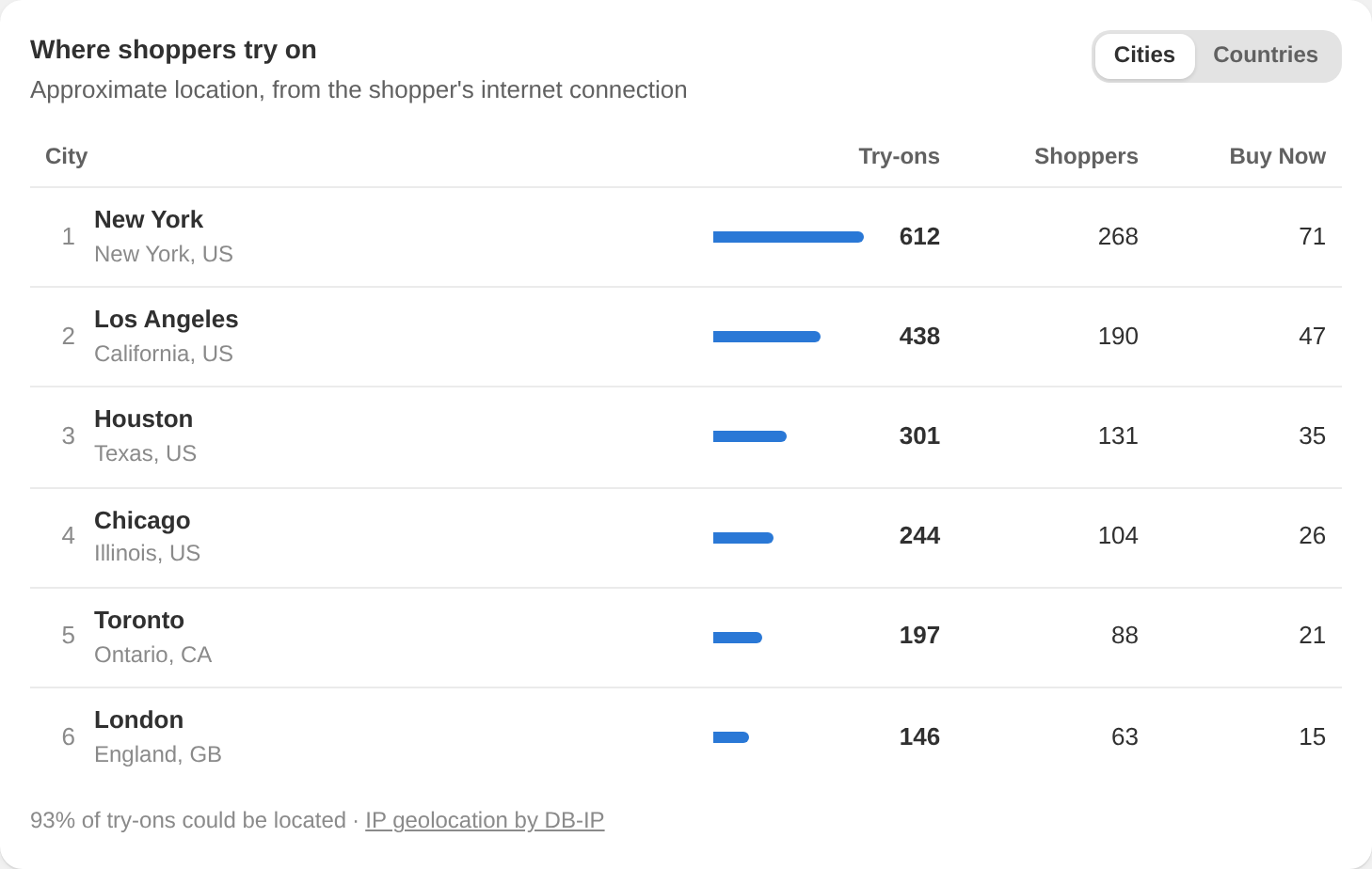
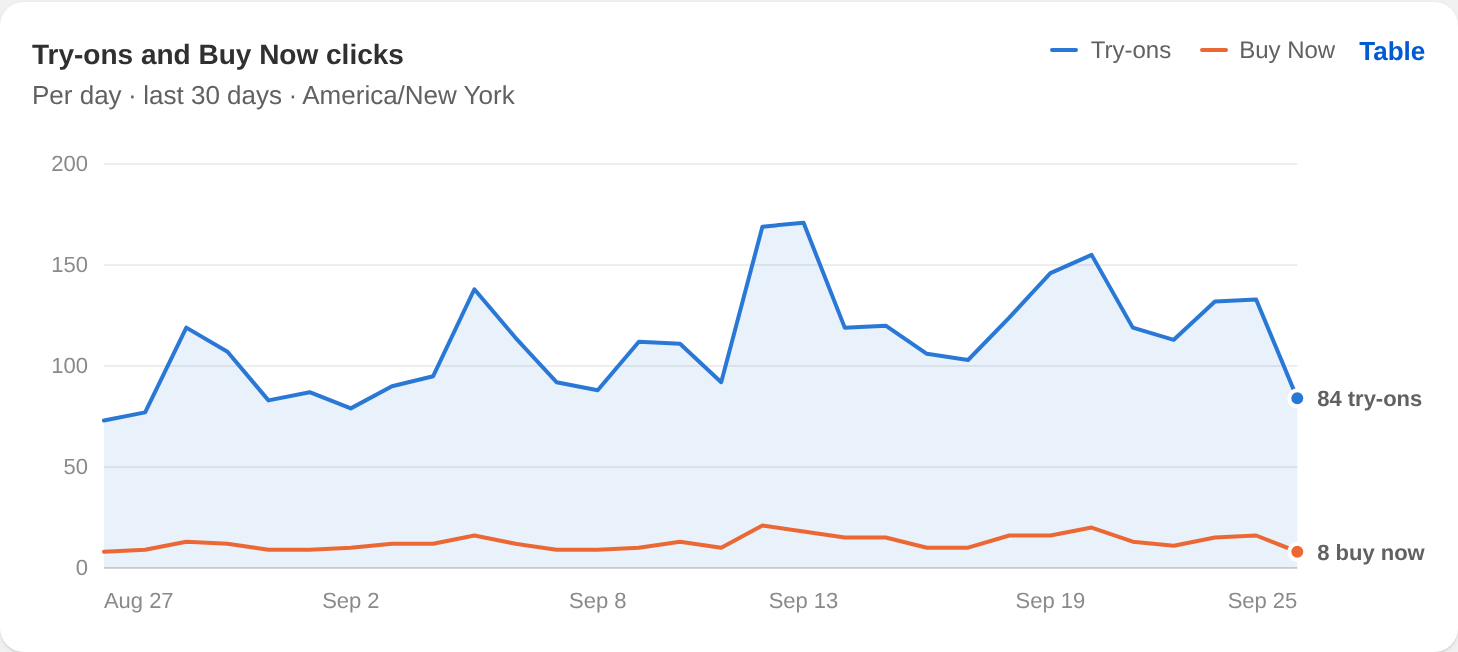
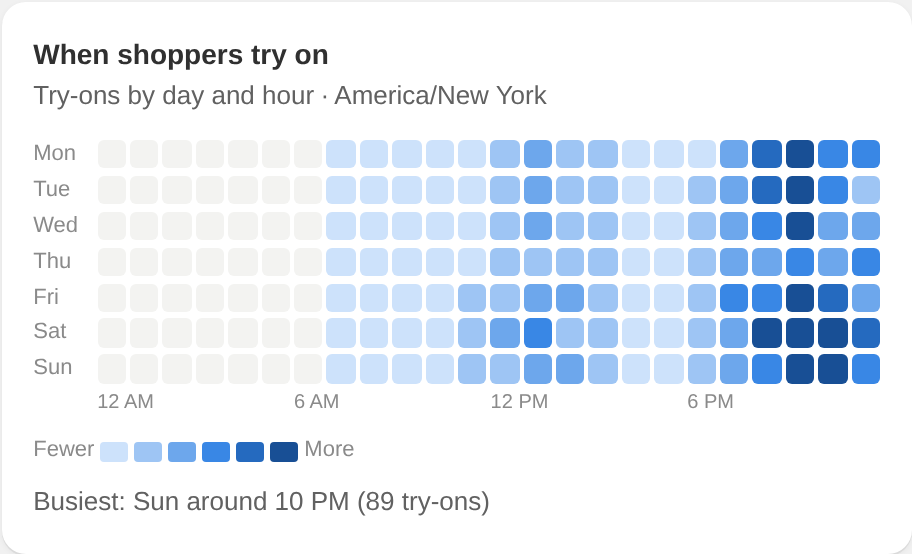
Every try-on is a signal of intent. PixelDrape AI turns them into a dashboard: which outfits shoppers try, which ones lead to Buy Now, where they are and when they shop, so you can merchandise, stock and advertise on real demand. We provide it on every platform, and it is built right into the Shopify app.

Track conversions from try-on
Follow shoppers from try-on to Buy Now. See your try-on → Buy Now rate for the store and for every outfit, compared with the previous period.
Spot best sellers early
Outfits ranked by try-ons, unique shoppers, Buy Now clicks and shopper likes — see what is catching on before sales reports do, and what gets tried but not bought.
Know where your shoppers are
Top cities and countries for try-ons and Buy Now clicks. Point ads, shipping offers and pop-ups at the places where demand already is.
Launch when they are watching
A day-by-hour view of try-on activity, in your store’s timezone, shows the busiest moments to drop new collections and run promotions.
Order the sizes that sell
The size mix from real try-ons helps you plan stock and restocks around what shoppers actually choose.
Give quiet products a push
Catalog coverage shows which outfits haven’t been tried yet — ready-made candidates for your homepage, a collection or your next email.
Live on your store in minutes. No code.
Get Started- 1Add PixelDrape AIOne click with the Shopify app, or a few lines of code on any other platform.
- 2We prepare your outfitsYour catalog is imported and made Try-On ready automatically.
- 3Switch on the buttonTurn it on and style it to match your brand. On Shopify, right from your theme editor.
- 4Watch the data arriveAnalytics fill up as shoppers try on, on every platform.
No website? No problem.
Virtual try-on isn't just for e-commerce. If you run a physical boutique, showroom, or store chain, we host your outfits on our platform — and your walk-in customers use try-on right through it.
Customers preview outfits on themselves before trying anything on physically — less fitting-room congestion, lighter staff workload, and a store experience shoppers remember.
Bring Try-On to Your StoreWe host your outfits
Upload your catalog to our platform — no website, no IT team, no code.
Customers walk in
Shoppers in your store snap or upload a photo on a tablet, kiosk, or phone.
They see themselves in the outfit
A photorealistic try-on before ever entering a fitting room.
Where others stopped, we didn't.
Try-on tools showed avatars instead of real shoppers, or lived outside the store. Size tools made shoppers fill in quizzes and never showed the look. PixelDrape AI answers both questions, how it looks and which size to order, right on your product page.
Try-on + size & fit, in one app
Most stores need one app to show the look and another to guide sizing. PixelDrape AI does both from one photo: shoppers see it on and get their recommended size from your own size chart, only in sizes you actually sell, so fewer orders come back.
Photorealistic, not an avatar
Your shopper sees themselves — real face, real body shape, real skin tone, preserved every time. No 3D mannequins, no look-alike models.
Exact outfit representation
Every detail preserved precisely — fabrics, textures, prints, and embellishments, from everyday basics to layered, intricate couture. The outfit your shopper sees is exactly the outfit you sell.
Analytics on every try-on
See which outfits shoppers try, which ones turn into Buy Now clicks, and where and when your shoppers shop — on every platform, and built into the Shopify app.
Embedded in your storefront
Works on Shopify, WooCommerce, Magento, BigCommerce or a custom site. Try-on happens where your shoppers already are: your product pages, your brand, your checkout.
Budget-friendly for every size
From boutiques to enterprise chains: plans from $9.99/month on Shopify, and the same per-try-on pricing on any other platform. Enterprise-grade results without enterprise-only pricing.
Seeing is believing. Try it live.
See PixelDrape AI running in production on our clients' live stores — or step into our own demo store and try on outfits yourself.
 LIVE
Nazraana
nazranaanj.comLuxury Indian bridal & party wear — see try-on live on lehengas, sarees and couture.
Try It on Nazraana → LIVE
Sunskaara
sunskaara.comContemporary women’s fashion — see try-on live on kaftans, dresses and resort wear.
Try It on Sunskaara → LIVE
Our Demo Store
pixeldrape.ai/demoOur own demo store — upload a photo and try on outfits yourself, no signup needed.
Open Our Demo Store →Pay for what you generate.
Simple, per-try-on plans with size & fit recommendations included. Unlimited size charts and recommendations on every plan, with no per-chart fees. On Shopify, start with a 15-day free trial. On another platform? Same plans, set up by our team.
Core
- 250 generations included
- $0.15 per additional generation
- Unlimited size & fit recommendations
- Unlimited size charts (yours, auto-imported)
- Fast and accurate generations
- Onboarding & maintenance support
Plus
- 650 generations included
- $0.08 per additional generation
- Unlimited size & fit recommendations
- Unlimited size charts (yours, auto-imported)
- Fast and accurate generations
- Onboarding & maintenance support
Pro
- 1,800 generations included
- $0.06 per additional generation
- Unlimited size & fit recommendations
- Unlimited size charts (yours, auto-imported)
- Fast and accurate generations
- Onboarding & maintenance support
Elite
- 4,000 generations included
- $0.05 per additional generation
- Unlimited size & fit recommendations
- Unlimited size charts (yours, auto-imported)
- Custom UI and other requirements
- Onboarding & maintenance support
Other platforms & enterprise
WooCommerce, Magento, BigCommerce or a custom site, store chains and white-label: we integrate it for you, with in-store channels and volume pricing.
Shopify plans include a 15-day free trial. Recurring and usage-based charges are billed every 30 days in USD.
Questions, answered.
What photo does a shopper need?
One front-facing, full-body photo: head to feet, one person, good light. No special background, app or account is needed, and shoppers can also pick a sample shopper to try it first.
How do the size & fit recommendations work?
From the same photo a shopper uploads for the try-on, PixelDrape AI recommends the size to order from your size chart for that product, with a clear confidence label, right under their try-on. There is no quiz or tape measure, and adding their height makes it even more precise. It only suggests sizes the product comes in, and tells shoppers when theirs is not offered.
Where does the size chart come from?
Your own charts, and as many as you need. On Shopify we read size chart tables from your product pages automatically, and you can paste a chart, upload a CSV or send us an image from the app; on other platforms our team adds them for you. Products can have their own chart, or use a store-wide one for women and men. Without a chart, a standard chart is used and shoppers are told to check your size guide.
Will size recommendations reduce returns?
Size and fit are the most common reasons clothes are sent back. When shoppers see how an outfit looks on them and know which size to order before they buy, they order with confidence instead of buying two sizes and returning one.
Which platforms does PixelDrape AI work with?
Any online store. On Shopify, install our app in one click. On WooCommerce, Magento, BigCommerce or a custom-built site, add a few lines of code and our team prepares your catalog and matches the Try-On button to your site. Boutiques without a website can use it in-store.
Which kinds of clothing can shoppers try on?
Dresses and gowns, casual wear, workwear, menswear, occasion, bridal and ethnic wear. Prints, drapes, embroidery and layers are kept, so shoppers see the outfit you actually sell.
How does pricing work?
Plans are based on the number of try-ons, starting at $9.99 a month, so you pay for what shoppers generate. Shopify plans include a 15-day free trial; other platforms get the same plans, set up by our team.
How long does setup take?
Minutes on your side. We import your catalog and make it Try-On ready, then you switch the button on. No developers or code changes on Shopify.
Do I get analytics?
Yes, on every platform. You see which outfits are tried most, which try-ons lead to Buy Now, where shoppers are and when they shop. On Shopify it is built into the app inside your admin.
Does it work on phones?
Yes. The Try-On button and photo upload work on phones, tablets and desktop, on your product and collection pages.

Get in touch
Our friendly team would love to hear from you.